Setup guide
Tutorial
The tutorial is screenshot-led and now follows the same guided operator flow and buyer-facing storefront journey shown in the redesigned product.
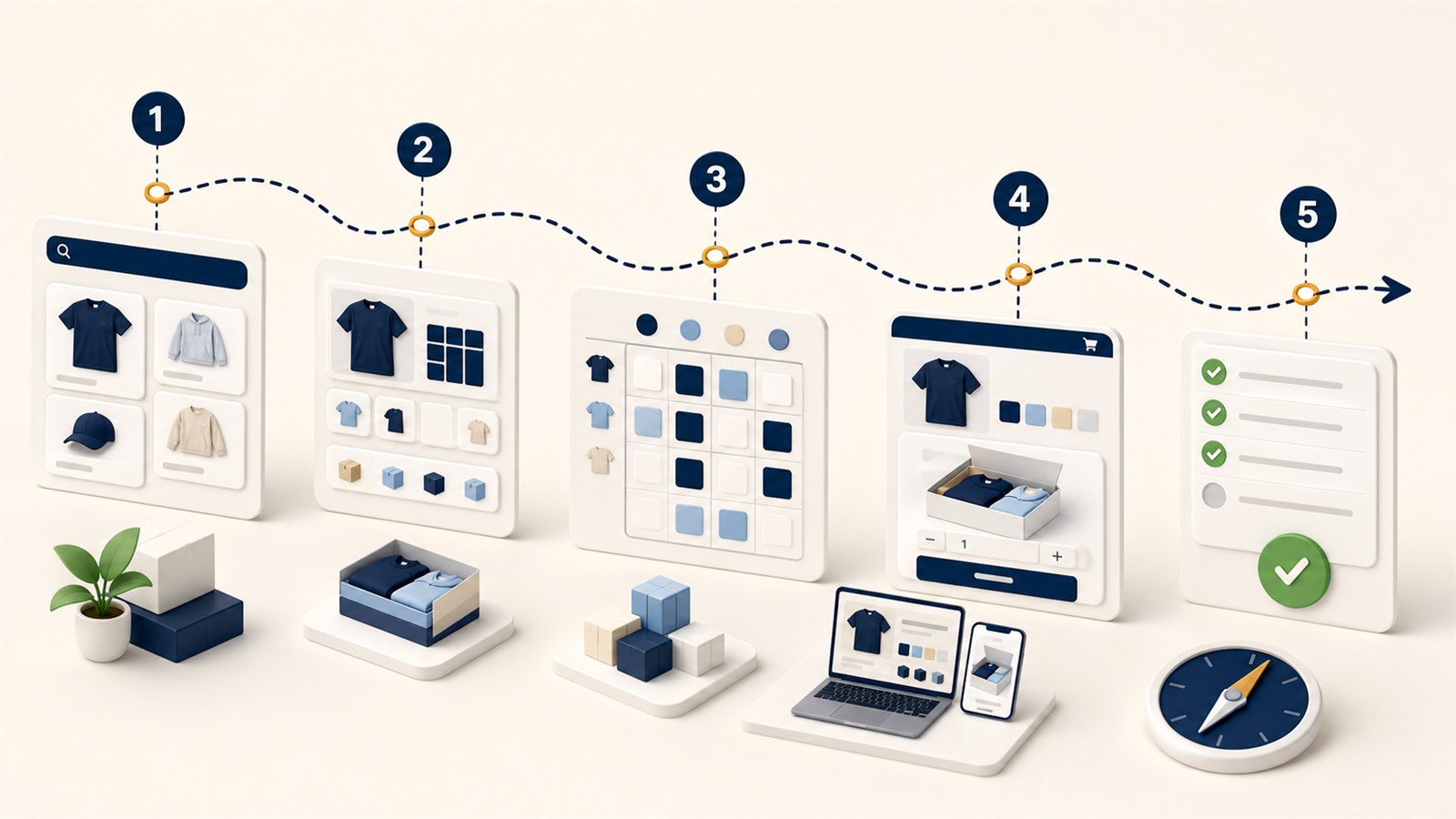
Key points
- Quick Start first-run setup.
- Catalog Items and Pack Library workflow.
- Review, publish, and safe storefront smoke.
Step 1: Start in Quick Start
Begin in Quick Start so the team sees setup progress, unresolved blockers, and the best next action before opening any specialist tools.
- Search for the Shopify product, confirm the recommended starter template, map sizes with dropdowns, and preview how the buyer pack card and cart summary will read.
- Use the progress summary and Plan & Billing status to move from setup to publish in a predictable order.
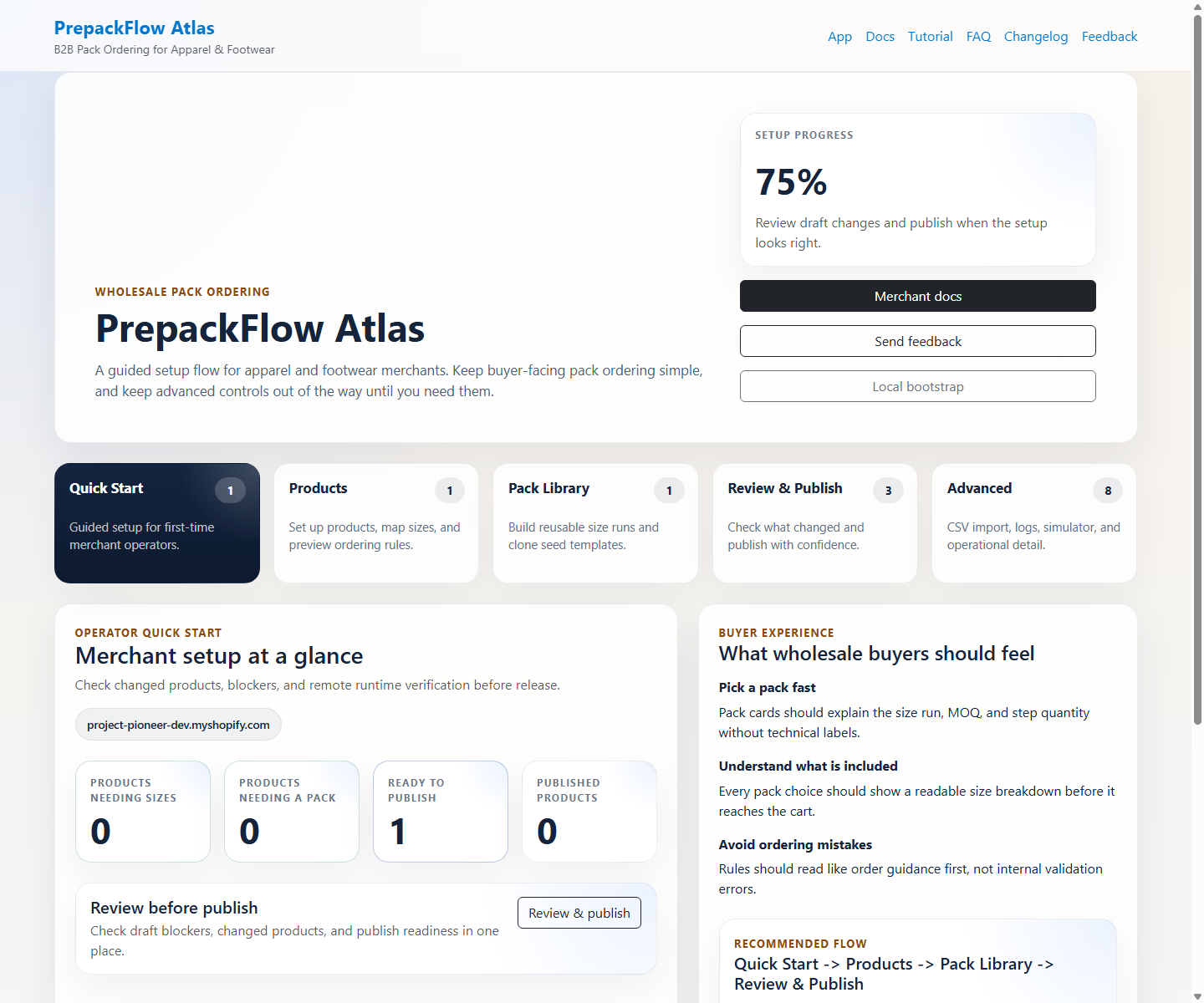
Quick Start keeps setup approachable for operators who care about go-live readiness, not internal admin terminology.
Step 2: Prepare products and reusable packs
Set up the catalog from two directions: make each product publish-ready in Catalog Items, then reuse proven size runs from Pack Library.
- Catalog Items keeps sizing, default pack, enforcement, and readiness messaging in one merchant-friendly flow.
- Catalog Items starts searching automatically after three characters and shows the setup editor only after a Shopify product is selected.
- The Shopify product detail shortcut can create or update a draft pack setup from the current variant order for straightforward size runs.
- Pack Library shows reusable pack cards by default; Add pack and Edit open the custom editor only when necessary.
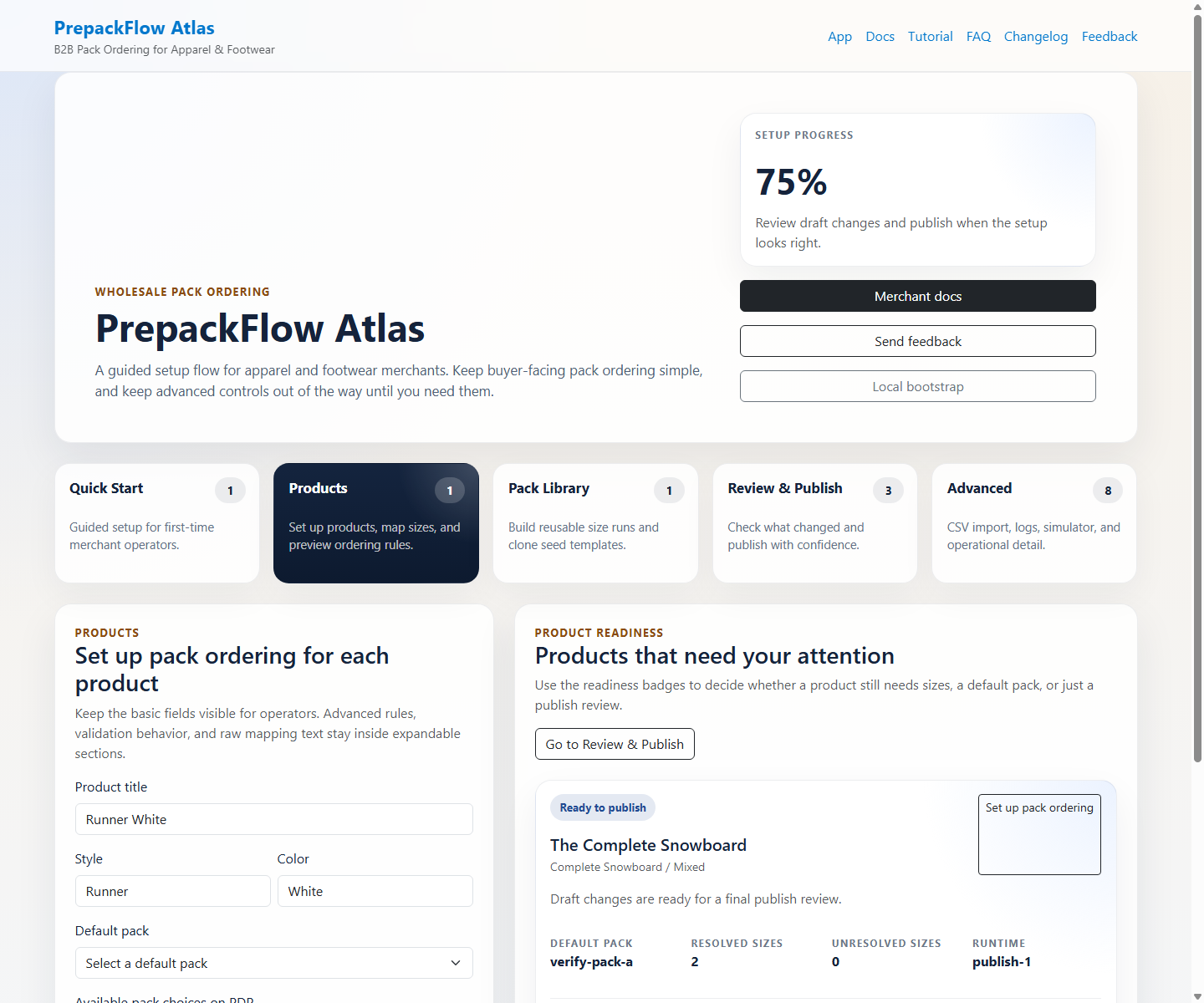
Product cards highlight exactly which SKUs still need sizes, pack rules, or attention before they can be published.
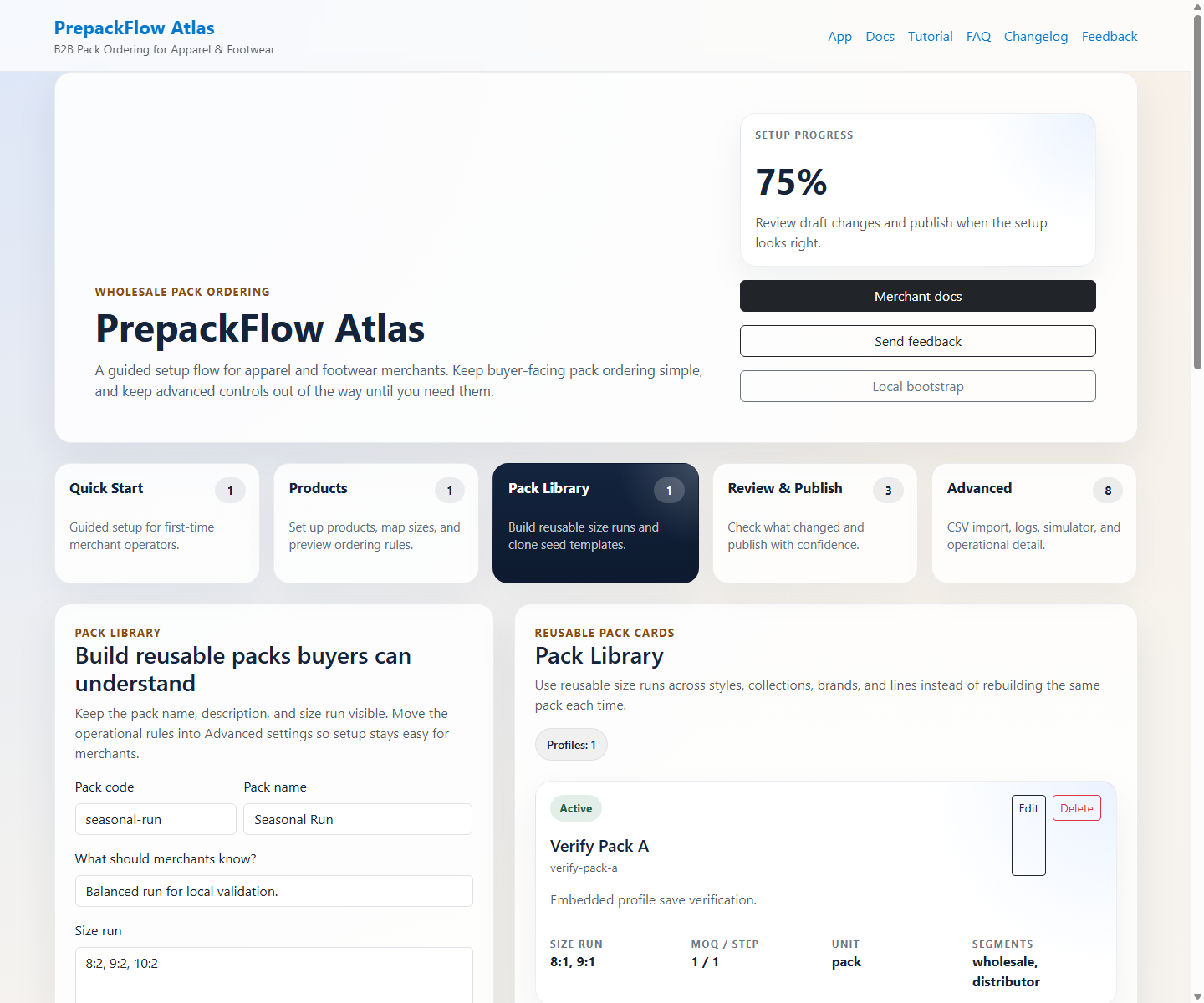
The pack library keeps size runs reusable across product lines while still exposing advanced settings when needed.
Step 3: Review, publish, and verify the buyer flow
Review & Publish prepares the release, then the storefront smoke confirms that buyers now see understandable pack cards and grouped cart guidance.
- Paid plan selection happens in Shopify's managed-pricing screen before publish actions unlock.
- Publish review explains setup blockers, changed products, and public storefront scan results in operator language before changes go live.
- The storefront keeps pack ordering visual and readable while checkout rules continue to guard the order.
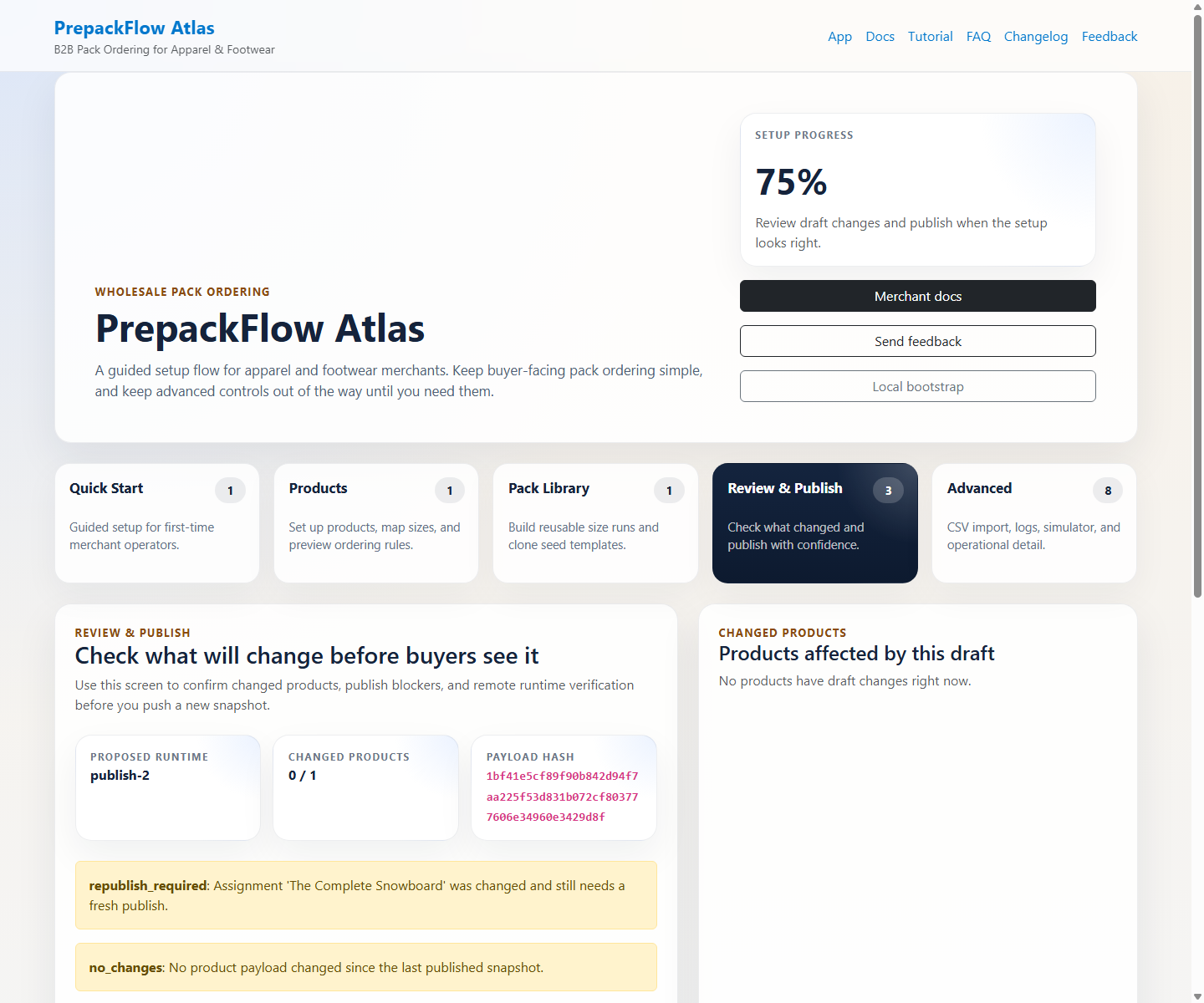
Operators can see which products are changing, what still blocks release, and what the live store will enforce.
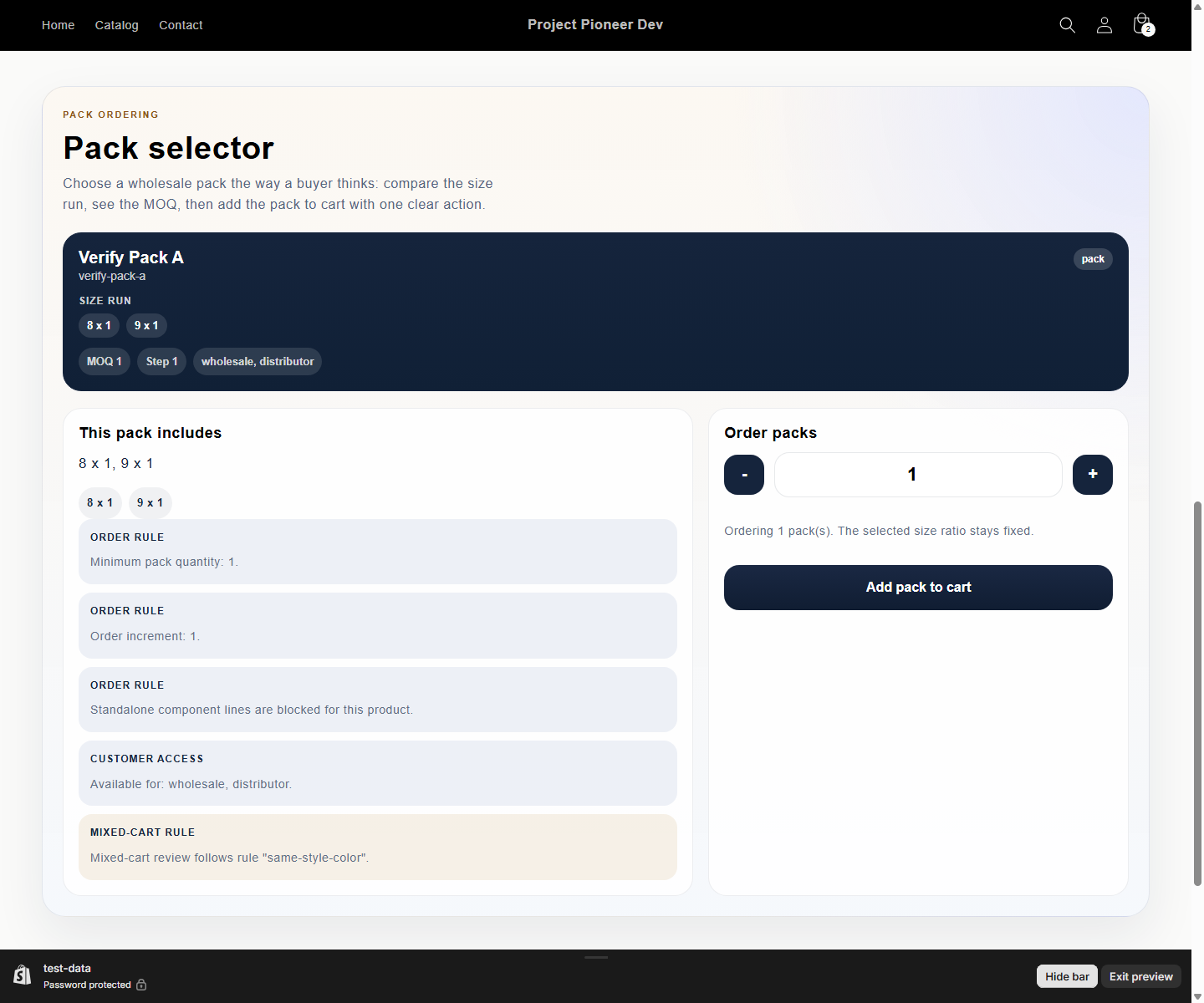
Pack cards translate configuration into a buyer-facing order choice with clear size-run, MOQ, and increment guidance.
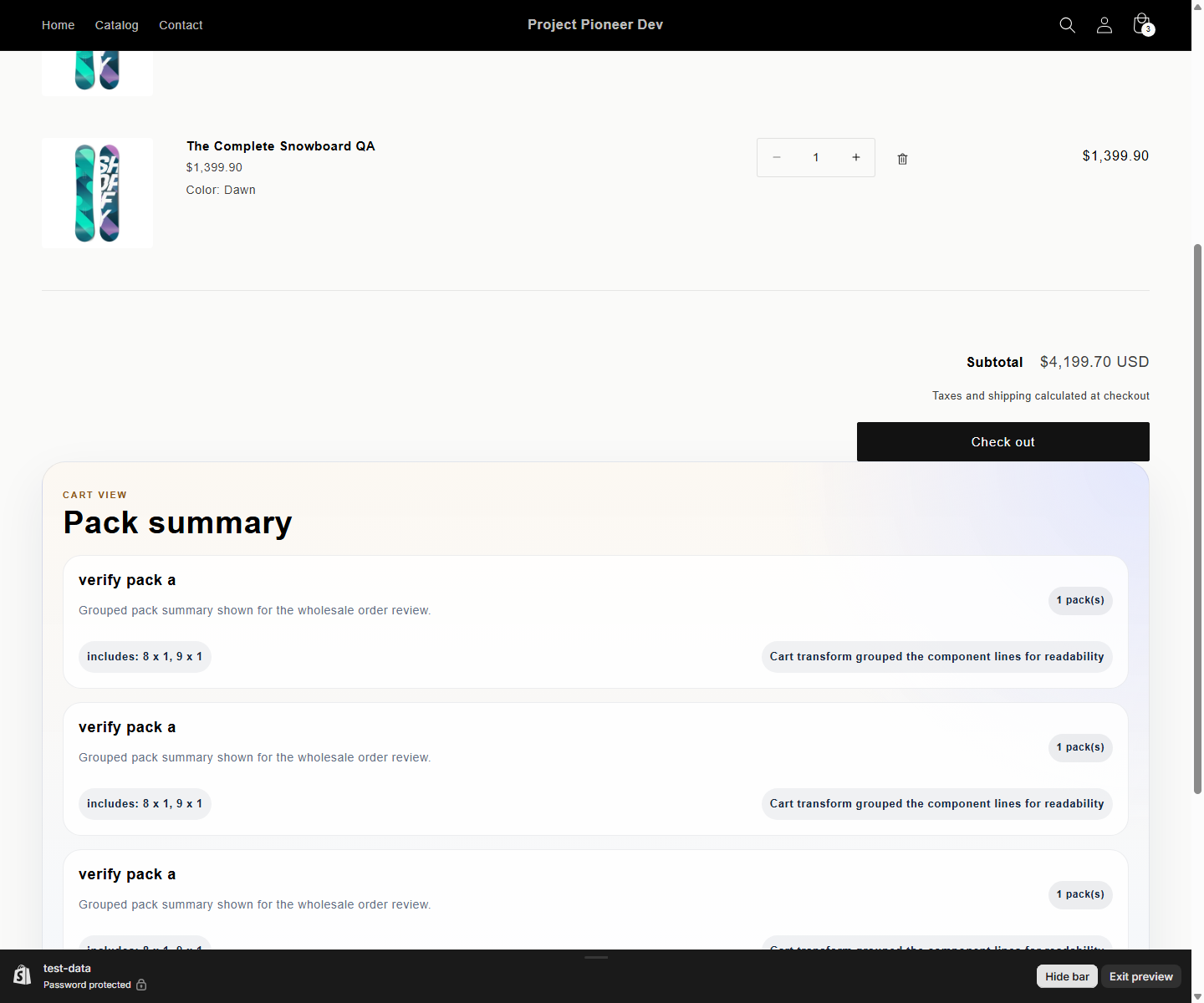
The grouped cart summary keeps the order understandable right before checkout without exposing technical cart details.