Docs
PrepackFlow Atlas combines a guided embedded admin, buyer-friendly storefront pack cards, grouped cart review, and checkout protection for wholesale pack ordering.
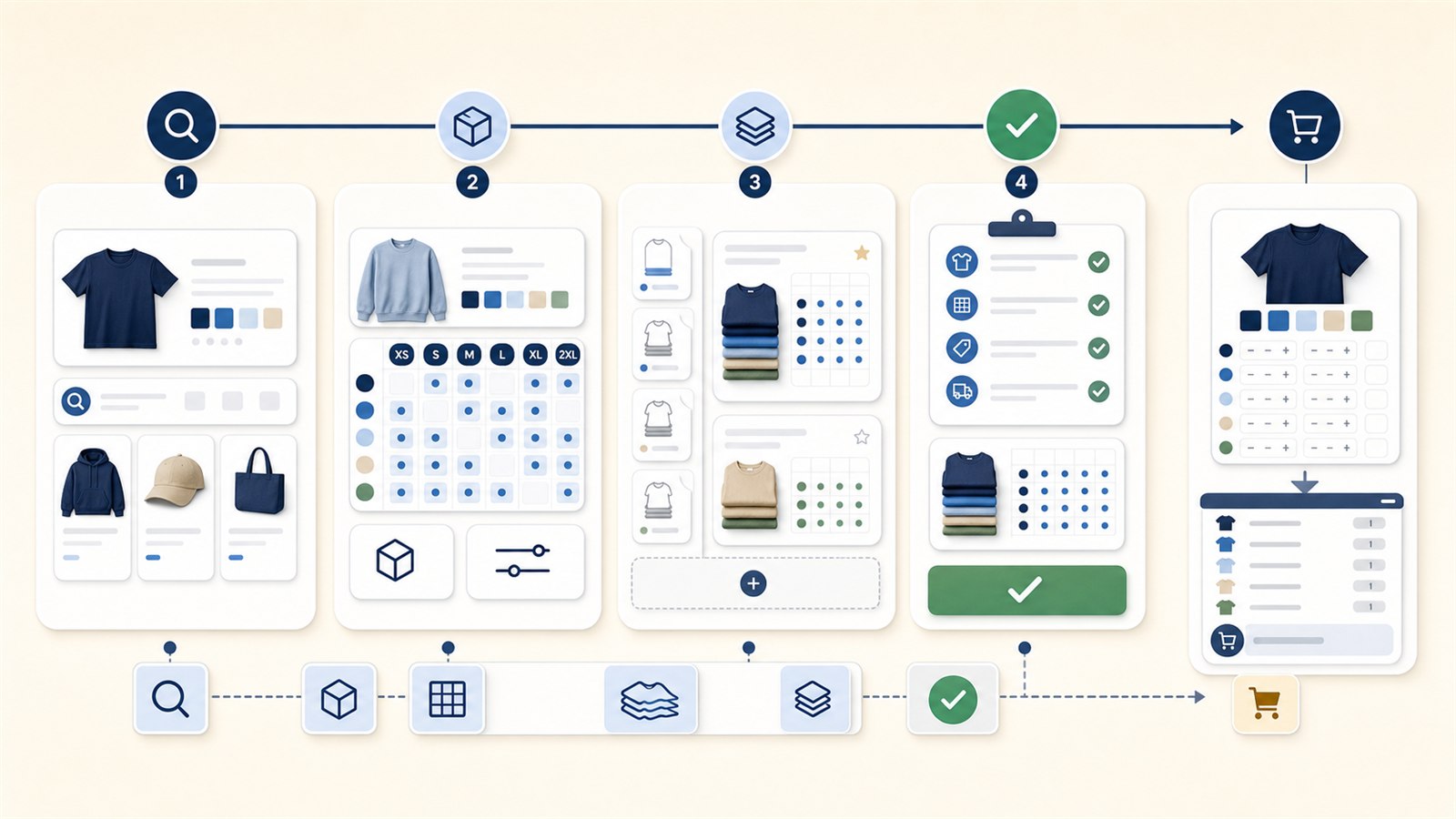
- Guided wholesale pack setup.
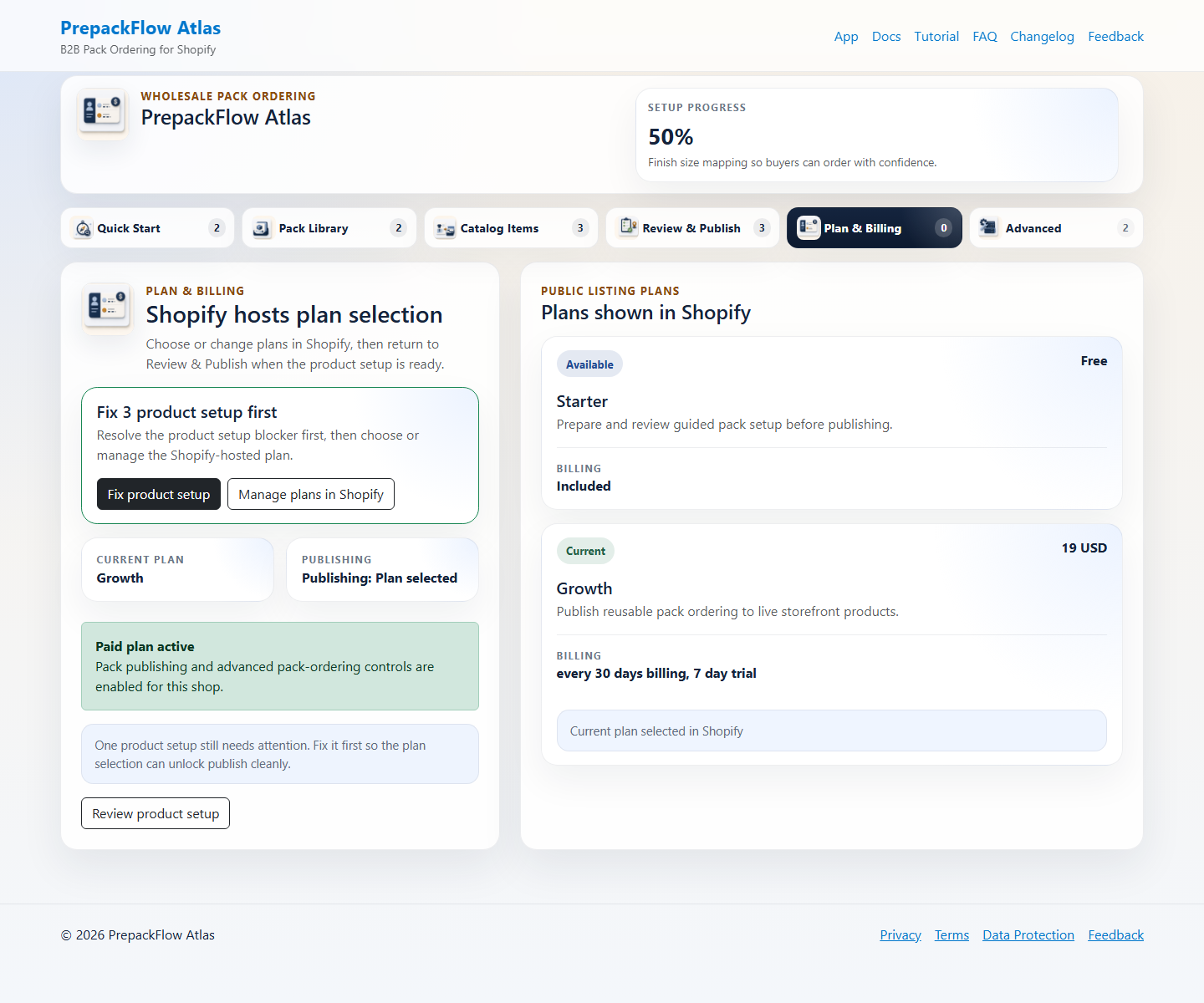
- Shopify managed-pricing plan selection.
- Buyer-first pack selection and grouped cart summaries.
- Reusable pack library, publish review, and advanced controls.
Guided setup for operators
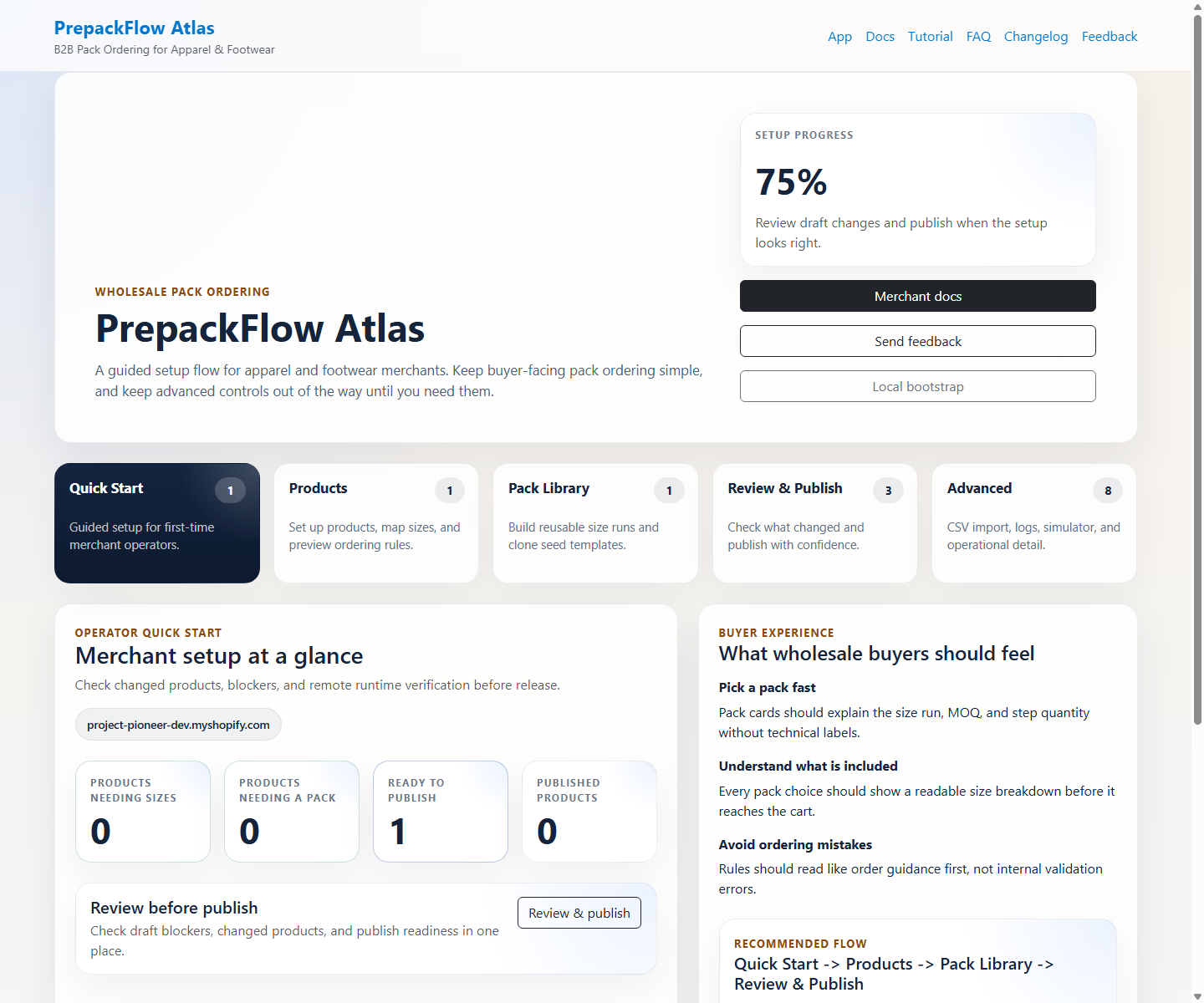
The embedded admin now starts with a guided journey so wholesale operators can move from first setup to publish without learning internal implementation terms first.
- Quick Start starts with product search, then narrows template choices to the recommended pack and the closest alternatives.
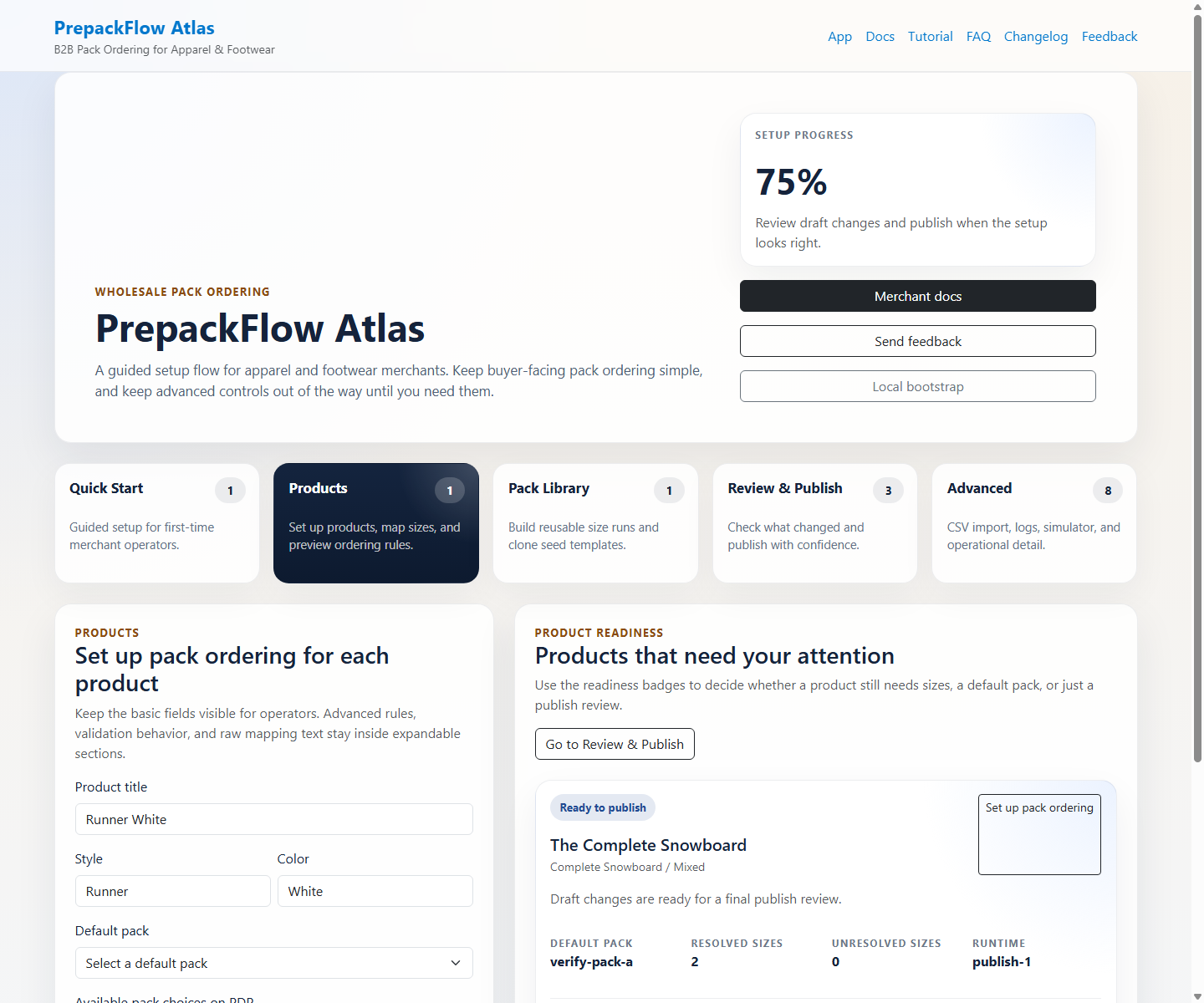
- Catalog Items turns product setup work into publish-ready actions like sizing, pack setup, and readiness review.
- For simple one-option size products, merchants can also open the Shopify product detail More actions shortcut, enter a size ratio such as 1-1-2-1-1, and return to Catalog Items for review.
- Plan & Billing sends paid plan changes to Shopify managed pricing before merchants publish live pack-ordering changes.
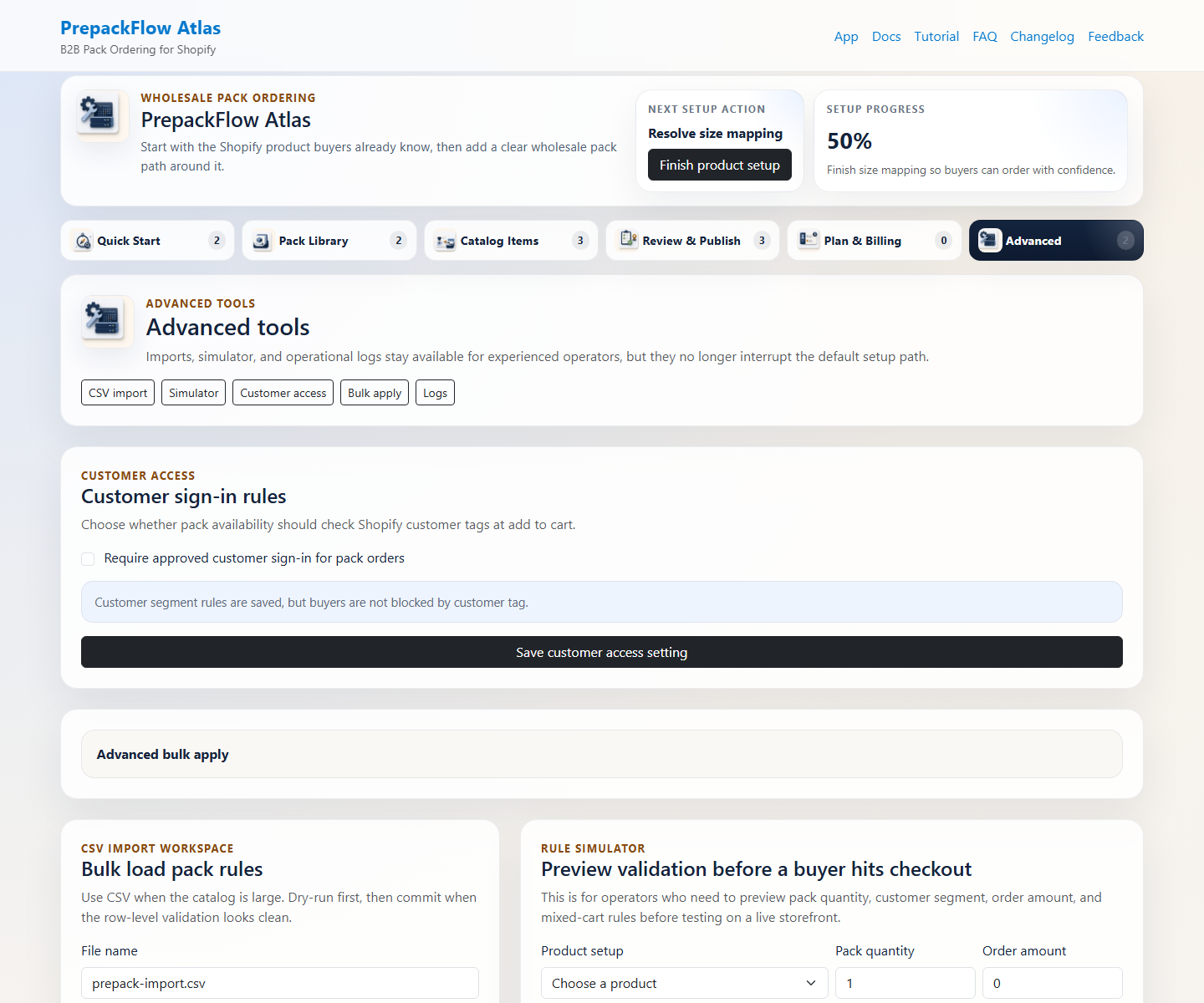
- Operators can stay on the guided path and open advanced tools only when they need imports, logs, or diagnostics.
Reusable pack library and publish control
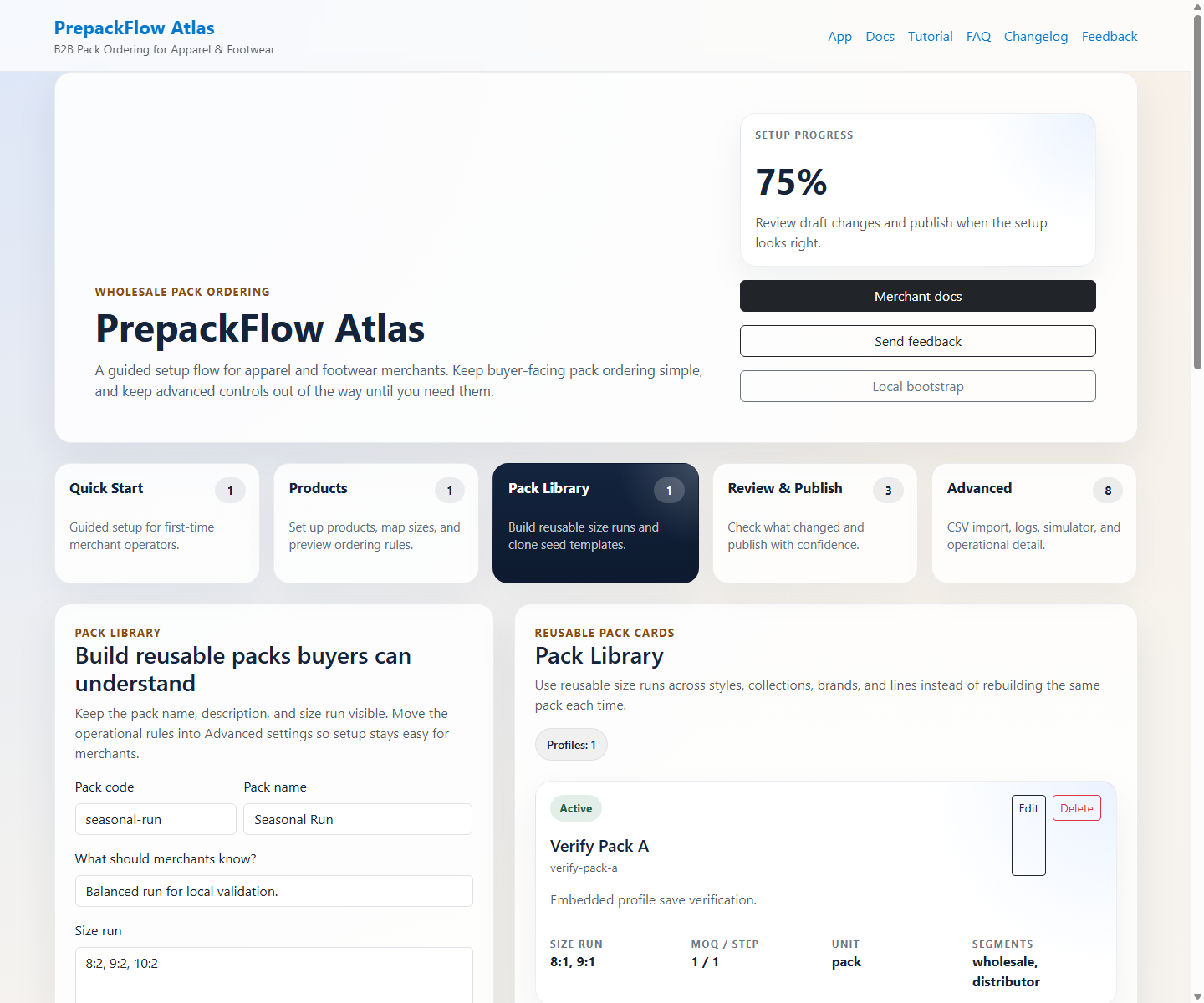
Pack management and release review stay powerful, but the app now keeps those tools in clear reusable-library and review surfaces instead of scattering them across admin tabs.
- Pack Library opens on reusable pack cards first; Add pack and Edit open the custom editor only when an operator needs to create or change a pack.
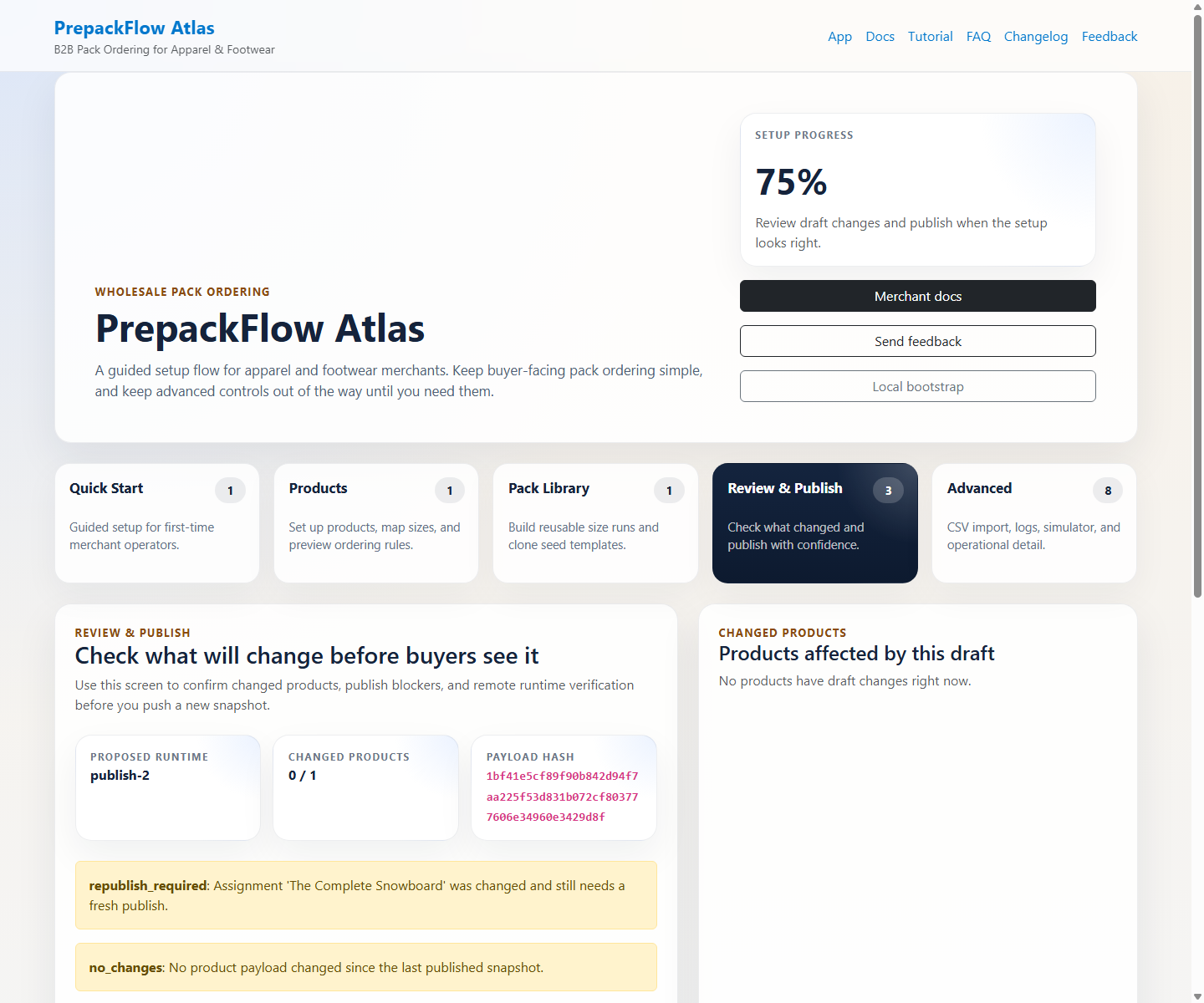
- Review & Publish summarizes setup blockers, changed products, public storefront scan results, and what will go live in merchant language.
- Advanced keeps imports, templates, simulator, logs, and technical diagnostics available without interrupting first-run setup.
Buyer-friendly storefront
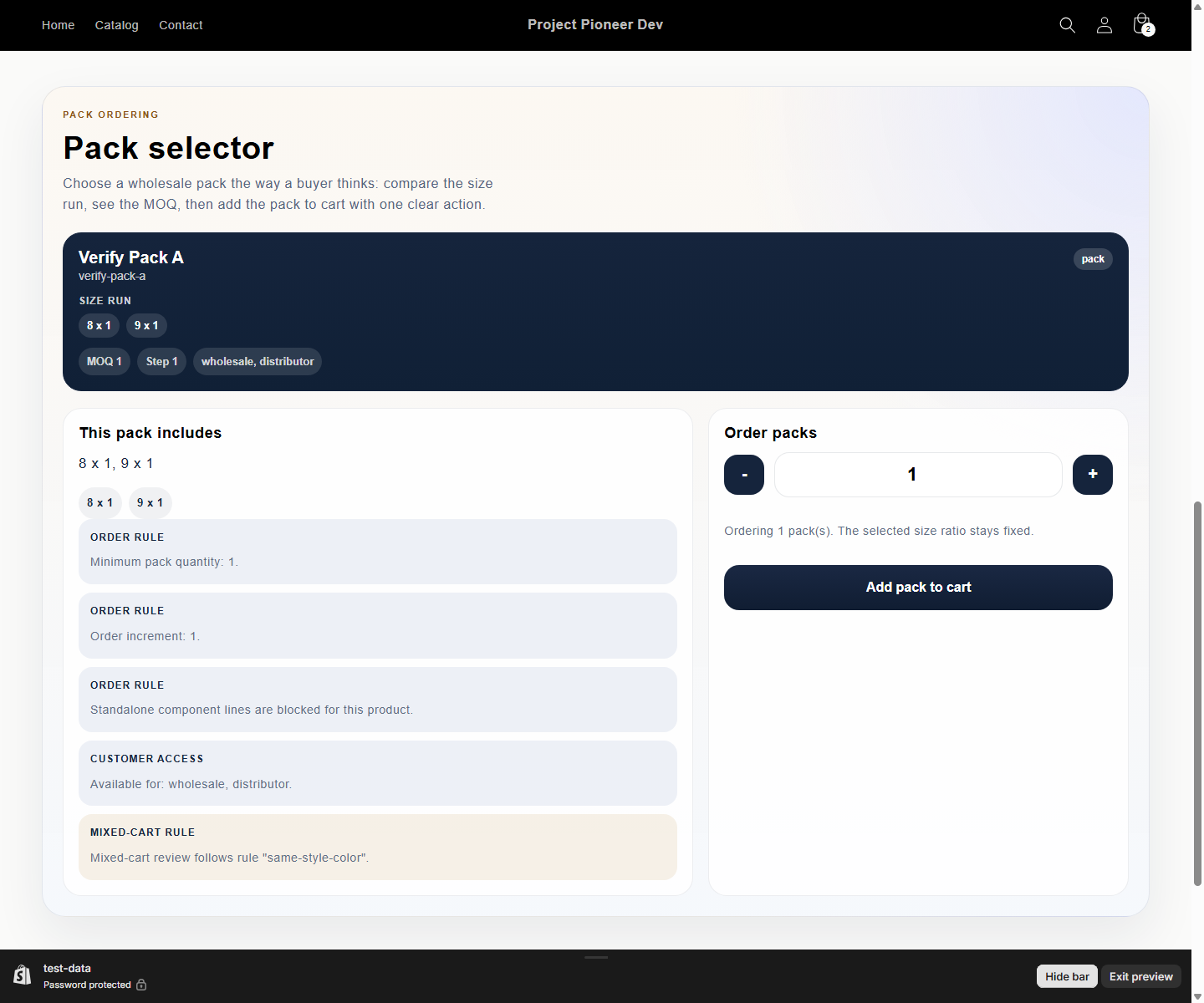
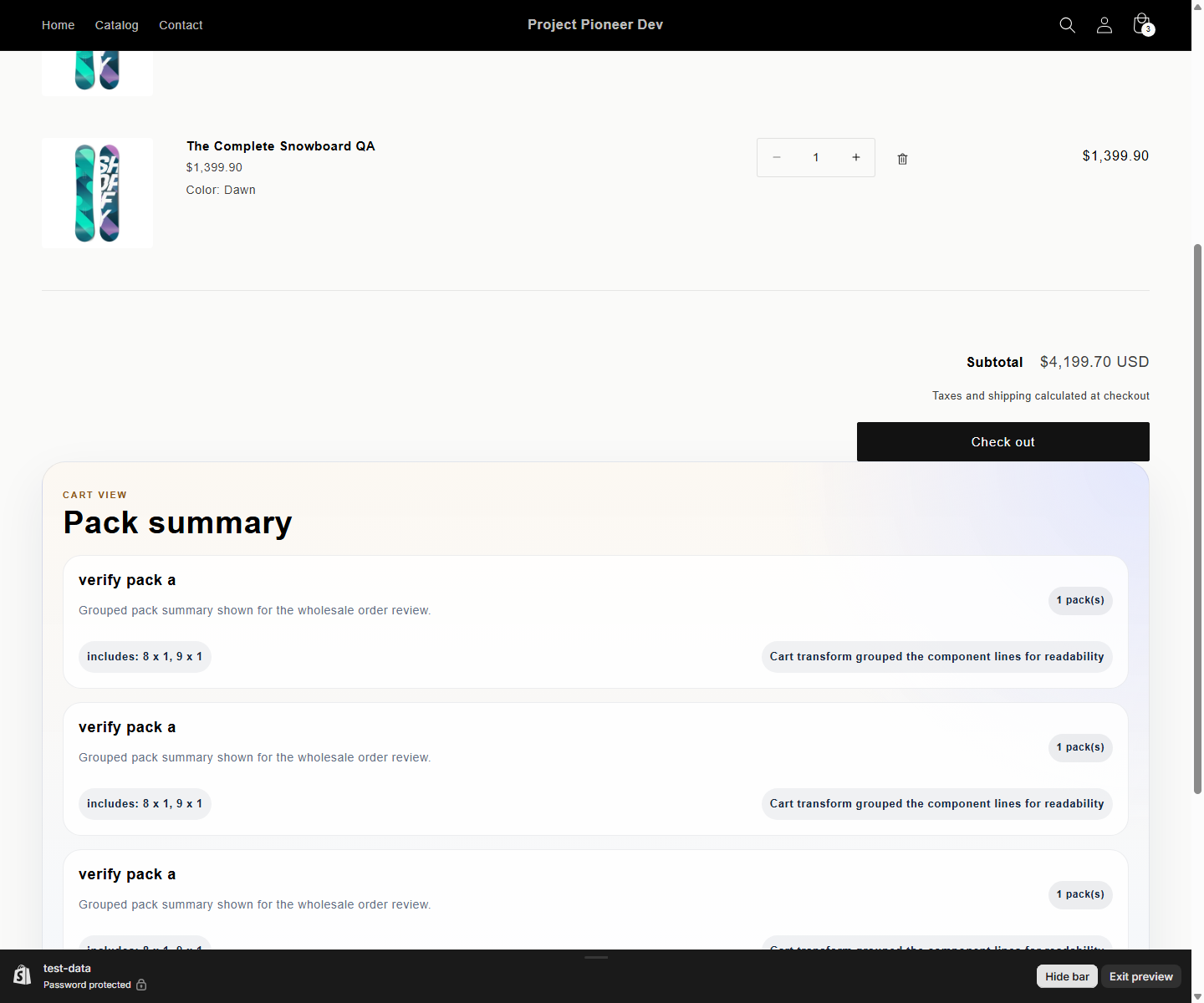
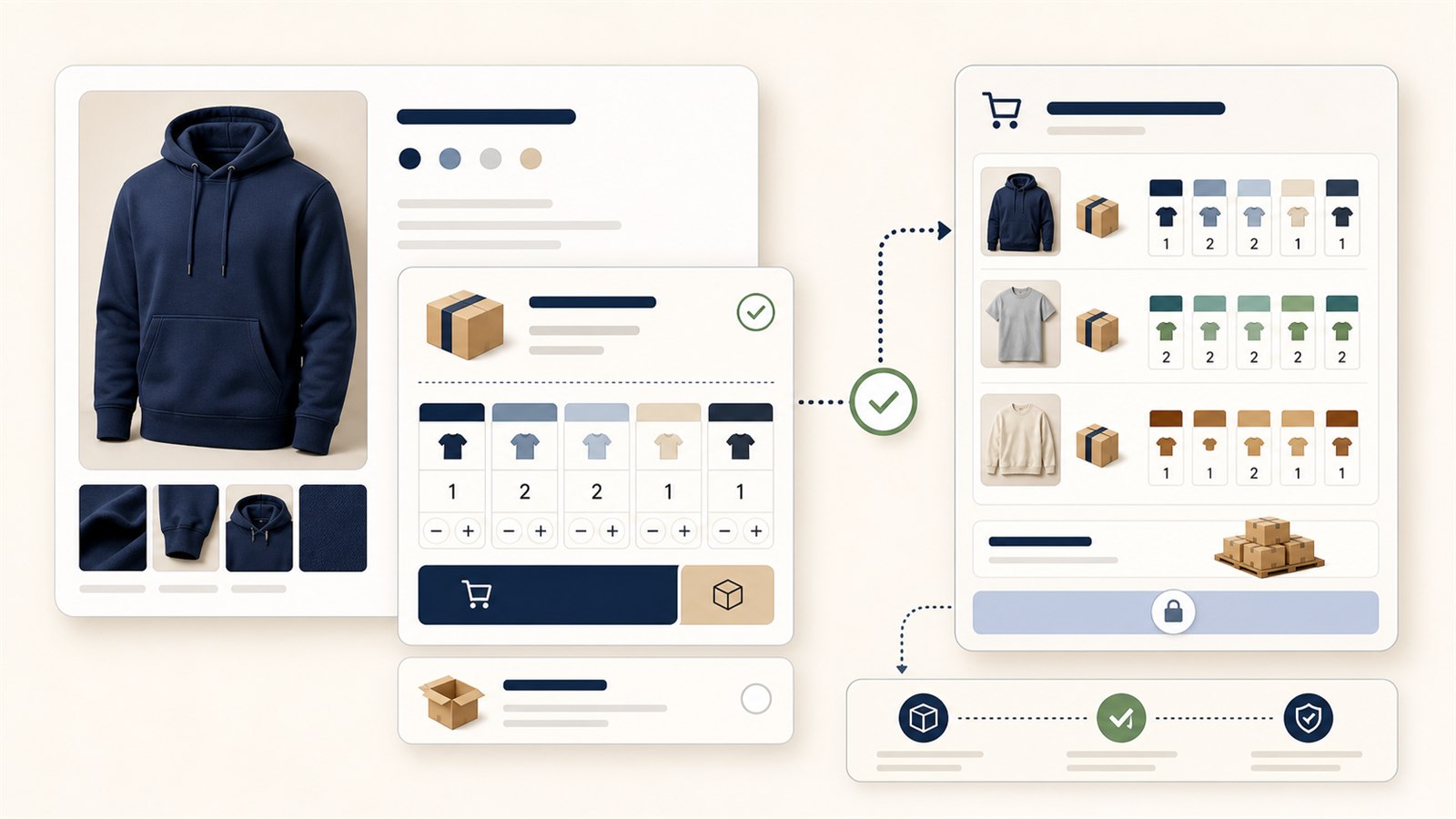
The storefront experience explains pack ordering in wholesale language. Buyers see visual pack cards, included sizes, and clear cart summaries instead of technical cart details.
- Pack cards show the exact size run, MOQ, order step, and customer-eligibility hints before add to cart.
- Cart summaries stay grouped around the chosen pack so buyers can confirm the order without reading technical attributes.
- Mixed carton colors stay separated as their own pack summaries, and ordinary Shopify products can share the cart with complete wholesale packs.
- Checkout protection still guards pack rules, but the messaging now reads like order guidance first and technical enforcement second.
Pack ordering message stack
The public product story stays specific: PrepackFlow Atlas is designed for guided pack ordering, not as a generic MOQ gate or a developer-facing admin utility.
- Guided wholesale pack setup for product teams.
- Buyer-friendly pack cards with grouped cart summaries.
- Reusable pack library, publish review, and advanced controls when needed.
- Shopify managed pricing for paid plan selection and plan changes.
- Company-location policy stays on the post-MVP roadmap.